C436HD Rear View
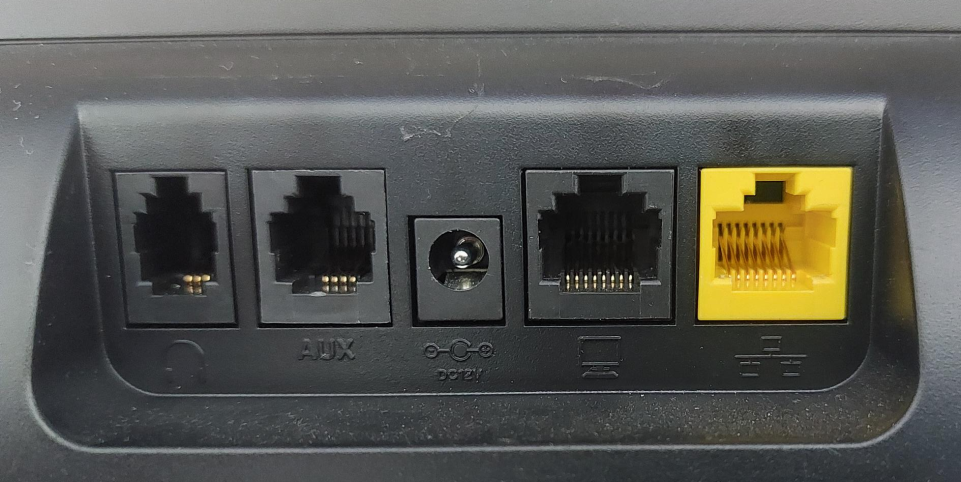
The ports located on the rear of the phone are described from right to left in the table below.
|
Ports (from right to left) |
Description |
|---|---|
|
|
RJ-45 port to connect to the Ethernet LAN cable for the LAN connection (uplink - 10/100/1000 Mbps). If you're using Power over Ethernet (PoE), power to the phone is supplied from the Ethernet cable (draws power from either a spare line or a signal line). |
|
|
RJ-45 port to connect the phone to a PC (10/100/1000 Mbps downlink). |
|
|
12V DC power jack that connects to the AC power adapter. |
|
AUX |
[RJ-11 port] Used as a serial console port to access the phone's terminal. |
|
|
Headset jack, i.e., RJ-9 port that connects to an external headset. |
|
(Not seen in the image – |
RJ-9 port used to connect the phone’s handset. |


